Skip to content

Cleanup Pass or Full Edit? How to Decide What Rough Footage Actually Needs
Last updated: June 2026
Use a cleanup pass when usable footage has technical issues. Use a full edit when the footage still needs message order, pacing, context, platform formatting, or publish-ready structure.
Answer capsule: A cleanup pass improves rough footage with a clear message, usable takes, and a defined destination. A full edit is better when the content still needs sequencing, tighter cuts, captions, context, repurposing, or a stronger viewer path before publishing.
Cleanup fixes the footage; editing fixes the communication
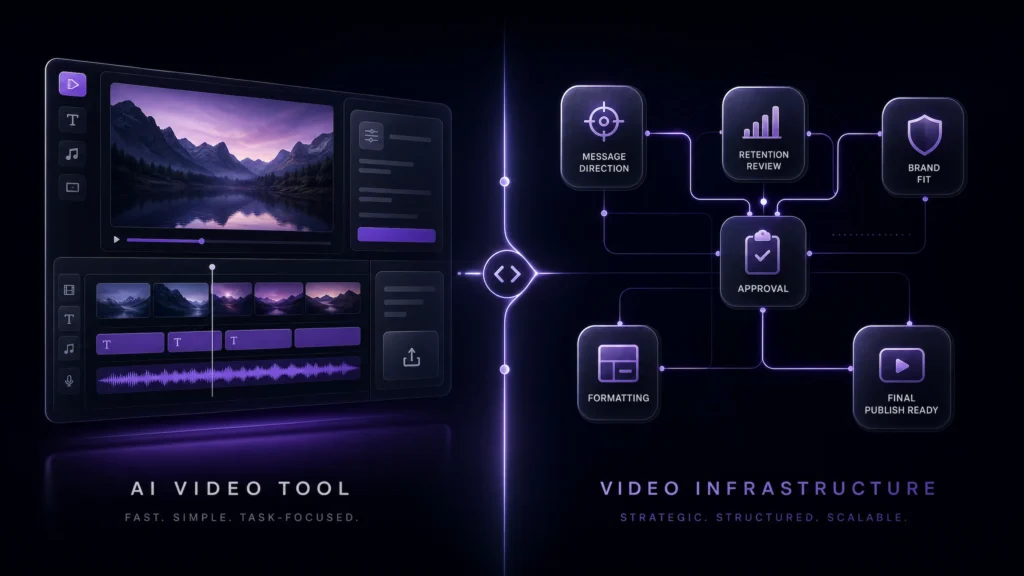
Cleanup is a technical improvement pass. Editing is a communication build. Rough footage can fail for two different reasons.
If the clip is noisy, shaky, dim, compressed, soft, or uneven, it may need AI cleanup and enhancement before it feels credible. If it has no clear opening, too much dead space, weak sequence, missing captions, or the wrong format, it needs editing.
Marketing Media AI treats this through Marketing Infrastructure Design™ for Video: source footage, message, edit, format, and review path all need to support the final purpose. AI can support cleanup, but the editorial decision decides whether the asset is worth publishing.
The Source-Quality Triage table
The fastest way to choose is to identify what kind of problem is breaking the footage.
| Problem type | Common signs | Usually points toward | Best next step |
| Technical problem | Noise, echo, blur, shaky motion, dim lighting, compression, weak speech clarity | Cleanup pass plus human review | Start Your Project if the footage is ready |
| Structural problem | Slow opening, confusing order, repeated points, no viewer path, weak transitions | Full edit | AI-assisted video editing services |
| Platform problem | Wrong aspect ratio, missing captions, weak hook, no short-form version, export mismatch | Full edit or formatting pass | Start Your Project for a small test edit |
| Strategy problem | Unclear goal, unsure audience, mixed message, no clear CTA, uncertain content system | Human review before production | Infrastructure Brief if the right path is unclear |

What we check before recommending cleanup vs edit
The first question is not “Can this footage be improved?” The better question is whether improvement alone will make it useful.
Before recommending cleanup or a full edit, review source quality, message clarity, pacing risk, platform destination, and whether the current sequence supports the intended outcome.
A clear sign rough footage needs a full edit is when the clip looks technically usable, but the viewer would not understand the point without added structure. If the best moments are there but the order, pacing, context, or takeaway is unclear, cleanup alone will only make a confusing video look sharper.
When a cleanup pass is probably enough
A cleanup pass is probably enough when the content already works and the main problem is perceived quality.
Good cleanup candidates have a clear speaker, a usable message, a known destination, and a clip that does not need restructuring. The issue is friction: noise, rough audio, low light, shakiness, soft detail, compression, or uneven polish.
This is where AI video cleanup can help as production support. It may reduce distractions, improve speech presence, stabilize presentation, and make the asset feel cleaner without pretending the source can be rebuilt from scratch.
Use this path to fix rough footage that already says the right thing.
When rough footage needs a full edit
Rough footage needs a full edit when the viewer experience still has to be built.
That usually means the opening needs tightening, sections need rearranging, repetition needs removal, captions need to guide attention, or the raw material needs to become a shorter platform-ready asset. A cleanup pass may make that footage look better, but it will not create the structure.
The common mistake in video cleanup vs video editing decisions is treating a communication problem like a quality problem. If the viewer would still be confused after cleanup, enhancement was never the full answer.
Technical problems that AI cleanup can support
AI cleanup is best used on specific quality problems, not as a blanket promise to rescue bad source material.
Best-fit issues include background noise, light echo, unstable handheld motion, soft detail, dim exposure, compression, color inconsistency, and footage that feels less professional than the message deserves.
The right guardrail is realism. Cleanup should reduce friction without making the video feel artificial, overprocessed, or inconsistent from shot to shot.
Structural problems cleanup cannot solve
Cleanup cannot fix missing editorial direction.
If the video does not answer the viewer’s main question, the issue is not sharpness. If the first 10 seconds do not create a reason to continue, the issue is not denoising. If a recording needs to become a short-form clip, the issue is not enhancement alone.
Publish-readiness also includes the page or post around the video. Google’s helpful content guidance frames quality around useful, people-first content, originality, trust, and clear authorship. For video content, the final asset and its surrounding context should help a real viewer understand why the video exists.
How to choose the right next step
Choose based on the problem that would still remain after cleanup.
If the footage would be ready once the audio, lighting, stability, or clarity improves, choose cleanup. If the footage would still need decisions about order, hook, pacing, captions, length, format, or call-to-action, choose editing.
If the footage is part of a larger content system, use AI-assisted video editing services instead of treating each clip like an isolated repair job.
Before choosing the next step, it also helps to prepare footage before an AI-assisted edit so the editor can see the goal, platform, must-use moments, technical issues, and whether the project needs cleanup or a fuller edit.
When to use Start Your Project
Use Start Your Project when you already have footage and want a lower-commitment first step.
This is the right move when the source is ready enough to review, the goal is clear enough to scope, and you want to test the editing style, workflow, or first version before moving into larger work.
When to use the Creator Brief instead
Use the Infrastructure Brief when you are unsure whether the footage needs cleanup, editing, repurposing, or a broader content workflow.
That path is better when the footage problem is mixed with strategy: you are unsure what to publish, what format to use, or whether the content should become one asset or several.
FAQs
Is video cleanup the same as video editing?
No. Video cleanup improves technical quality. Video editing shapes the message, pacing, order, captions, format, and final viewer experience. Some projects need both.
Can AI fix rough footage completely?
Not always. AI can support cleanup tasks like noise reduction, stabilization, sharpening, and clarity improvement, but weak source quality, missing structure, and unclear messaging still need human judgment.
How do I know if my video needs editing?
If the footage would still feel slow, confusing, too long, poorly sequenced, or wrong for the platform after technical cleanup, it needs editing rather than cleanup alone.