 Skip to content

How to Check If Your Email Is Blacklisted (Step-by-Step Guide)
If your campaigns suddenly stop landing in inboxes, blacklisting is one of the first things to investigate. When a sending IP address or domain gets flagged by a blocklist, deliverability drops, spam-folder placement rises, and even legitimate campaigns can stall.
This guide explains how to check whether your domain or sending IP has been blacklisted, what usually causes it, how to get delisted, and how to reduce the chances of it happening again. For broader strategy content around email, automation, and marketing systems, you can also browse the Marketing Media AI blog.
What is Email Blacklisting?
Email blacklisting happens when a blocklist provider, ISP, or filtering system flags a sending IP or domain as risky. Once that happens, your messages may be filtered, throttled, or pushed straight into spam.
Not every listing means you are a spammer. Legitimate senders can get listed because of poor list hygiene, missing authentication, a compromised account, or a shared IP with a bad reputation. The important part is finding the source quickly and fixing the cause before it damages performance further.
What are the Common Reasons Emails Get Blacklisted?
1. High Spam Complaints
If too many recipients mark your emails as spam, mailbox providers treat that as a direct trust signal. Complaint spikes can damage sender reputation fast.
2. Hitting Spam Traps
Spam traps are addresses used to catch careless or abusive sending practices. If you mail outdated, scraped, or purchased lists, you are far more likely to hit one.
3. High Bounces
Sending to invalid or stale addresses drives bounce rates up. That signals weak list quality and can quickly hurt deliverability.
4. Sudden Volume Spikes
If you usually send a few hundred emails and suddenly send tens of thousands, filters may treat that as suspicious behavior or a compromised account.
5. Compromised or Hacked Accounts
If an attacker gets access to your mailbox or platform, they can use it to send spam or malicious messages. That often leads to listings and reputation damage.
6. Poor Content or Subject Lines
Misleading subject lines, aggressive promotional language, broken links, and image-heavy emails with weak text balance can all increase filtering risk.
7. Missing Authentication
Without proper SPF, DKIM, and DMARC, receiving servers have fewer signals that your mail is legitimate. Weak or missing authentication makes your domain look less trustworthy.
8. Shared IP Reputation
If you send on shared infrastructure, another sender’s behavior can affect your inbox placement. That is one reason dedicated sending environments are often safer for serious programs.
How to Check Email Blacklists? Free Tools!
A proper blacklist check should cover both your domain and the IP that actually sends your mail. These are the strongest places to start:
Tool | Description |
A fast first-pass scan for a sending IP or domain across many DNS-based blocklists. | |
Useful for checking whether your IP or domain appears on major Spamhaus blocklists. | |
Best for monitoring Gmail reputation, spam rate, and delivery trends over time. | |
Helpful for checking IP-level reputation signals tied to Outlook and Hotmail traffic. | |
A solid supplemental lookup if you want another blacklist scan and list-quality context. | |
A quick second opinion for domain or IP blacklist checks across multiple databases. |
How to Perform a Check for Blacklisted Emails?
Step 1: Identify the real sending domain and IP address.
If you use an email service provider, confirm whether you are sending from a dedicated IP or a shared one. That detail matters.
Step 2: Run both the domain and the IP through the tools above.
Start with MxToolbox or Spamhaus, then review Gmail and Microsoft reputation signals if those mailbox providers matter to your audience.
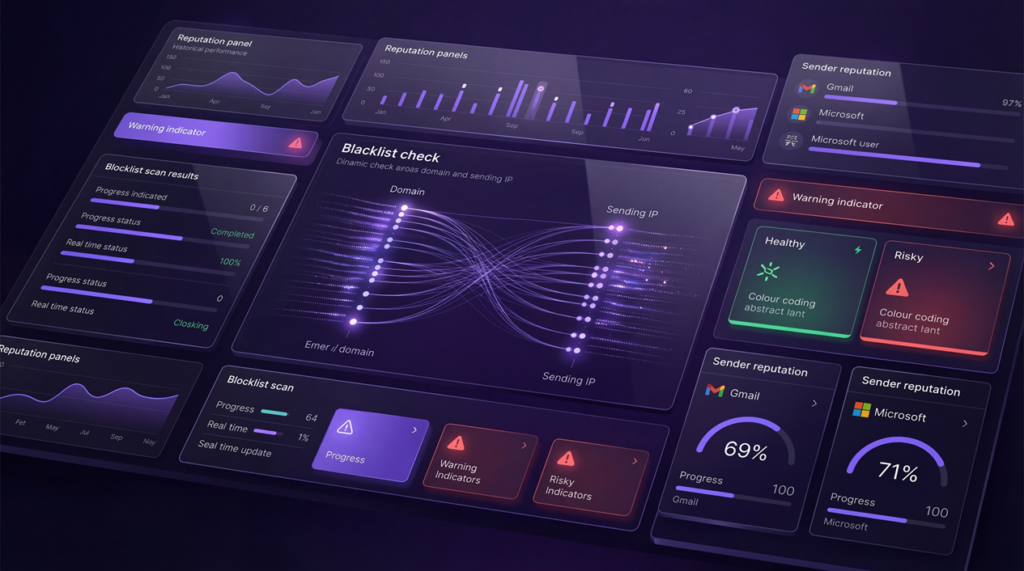
Step 3: Document exactly where you are listed.
Some lists are far more influential than others, so do not treat every listing the same.
Step 4: Audit the root cause.
Check bounce rates, spam complaints, authentication records, recent volume spikes, list source quality, and any unusual account activity.

Step 5: Fix the issue first, then request removal.
Submitting a delisting request before you correct the root cause usually wastes time.
How to Remove Your Domain from a Blacklist?
Delisting is not about filling out a form and hoping for the best. You need to correct the reason you were listed, then show the blocklist operator that the problem is resolved.
1. Identify whether the listing is tied to your domain, your sending IP, or both.
2. Fix authentication, clean the list, stop risky sending, and secure any compromised accounts.
3. Follow the delisting process provided by the specific blacklist that listed you.
4. Monitor inbox placement and reputation after removal so the issue does not return.
Some listings clear automatically once the bad behavior stops. Others require manual review. Either way, do not resume aggressive sending until the underlying issue is under control.
How to Prevent Future Blacklisting?
Staying off blocklists is much easier than getting removed from one. The goal is simple: send consistently, authenticate properly, and protect list quality before problems escalate.
Option 1: Maintain List Hygiene
Regularly remove invalid addresses, inactive subscribers, and low-quality leads. Clean lists reduce both bounce risk and complaint risk.
Option 2: Authenticate Your Domain
Setting up SPF, DKIM, and DMARC is a baseline requirement for modern email delivery. Authentication gives receiving servers stronger proof that your messages are legitimate.
Option 3: Monitor Your Domain Reputation
Use Google Postmaster Tools and Microsoft SNDS to keep an eye on reputation trends. Monitoring makes it easier to spot problems before they turn into blocklist issues.

Option 4: Keep Sending Patterns Stable
Avoid erratic spikes in send volume. If you are warming up a new domain or IP, increase volume gradually instead of trying to scale overnight.
Option 5: Write for Real People, Not Filters
Use clear subject lines, honest expectations, relevant segmentation, and balanced email design. The best deliverability strategy is sending emails people actually want.
Option 6: Watch Errors, Complaints, and Engagement
Repeated SMTP errors, rising complaint rates, falling engagement, and sudden bounce increases are early warning signs. Catching those trends early is how you prevent bigger deliverability failures.
Improving Email Deliverability with Optimized Video & Images
Media inside email should support the message, not overload it. Oversized attachments, heavy graphics, and cluttered layouts can slow load times, hurt the user experience, and make filtering systems more cautious.
A better approach is to compress images, use descriptive alt text, host video on a landing page or website, and place a lightweight thumbnail or preview in the email instead of attaching large files.
If you need help producing cleaner visual assets, explore our video editing and AI production services. We focus on polished assets that look premium without bloating the email experience.
Final Words
If your emails start missing the inbox, do not guess. Check the sending IP, check the domain, review your authentication, and investigate complaints, bounces, and volume changes. Blacklisting is fixable, but only when you address the real cause.
Once the issue is resolved, stay proactive. Regular reputation checks, cleaner lists, stable sending patterns, and better asset handling make deliverability much easier to protect over time. If you want help turning creative assets into lighter, more deliverability-friendly content, contact Marketing Media AI.


