Skip to content

How to Implement Marketing Automation: Step-by-Step Guide for Businesses
Marketing automation is one of the highest-leverage systems a business can add to its marketing stack. According to Nucleus Research, organizations realized an average of $5.44 in benefits for every $1 spent over the first three years, with payback in under six months. For businesses trying to scale outreach, follow-up, and lead nurturing without creating more manual work, that matters.
If you want to learn how to implement marketing automation the right way, the goal is not to automate everything at once. The goal is to build a clean, measurable system that supports your funnel, improves consistency, and still feels relevant to the customer. That means starting with strategy, choosing the right tools, and building workflows that are actually connected to your business goals.
What Is Marketing Automation?
Marketing automation is the use of software and technology to automate repetitive marketing tasks such as email campaigns, lead nurturing, social scheduling, segmentation, and follow-up. HubSpot’s definition of marketing automation describes it as a way to deliver more personalized experiences at scale while reducing manual effort.
Instead of handling every step manually, teams can build workflows that run in the background based on customer actions and business rules. For example:
• Email automation can send targeted messages based on user behavior, interests, or funnel stage.
• Sales funnel automation can move leads from awareness to consideration with better-timed follow-up.
• CRM integration can keep marketing and sales aligned around one source of customer data.
Benefits of Marketing Automation
Before diving into implementation, it helps to understand why businesses invest in automation in the first place. The biggest advantages usually come down to efficiency, personalization, scalability, insight, and alignment.
| Efficiency | Automates repetitive execution so your team can focus more time on strategy, creative work, and optimization. |
| Personalization | Delivers more relevant messaging based on audience behavior, stage, and intent. |
| Scalability | Lets campaigns reach more people without increasing manual workload at the same rate. |
| Data-driven insights | Makes it easier to track engagement, conversion patterns, and workflow performance. |
| Alignment | Connects marketing and sales through shared systems, cleaner handoffs, and better visibility. |
When implementation is done well, automation does not just save time. It improves consistency, sharpens follow-up, and helps revenue opportunities move through the funnel with less friction.
Step-by-Step Implementation Process
A strong implementation usually follows a simple seven-step sequence:
Goals & Strategy -> Define Audience -> Choose Technology -> Clean Data -> Build Workflows -> Test -> Optimize
Step 1. Define Goals & Strategy
Start with clear business goals. Are you trying to generate more qualified leads, improve customer retention, shorten the sales cycle, or increase purchase frequency? Without a clear target, automation turns into disconnected activity instead of a system.
Your marketing automation strategy should support broader business priorities. Define what success looks like, which stages of the funnel matter most, and which KPIs will tell you whether the system is actually working.
Step 2. Define Your Audience & Map Journeys
To implement marketing automation effectively, you need a clear view of who you are targeting and how they move through your funnel. Use audience segments based on demographics, behavior, lifecycle stage, or purchase history. HubSpot’s overview of audience segmentation is a useful starting point if you need to tighten that process.
Then map the customer journey from awareness to conversion. Once you know where people enter, stall, and convert, you can build workflows that send the right message at the right moment instead of sending the same sequence to everyone.
Step 3. Choose the Right Technology
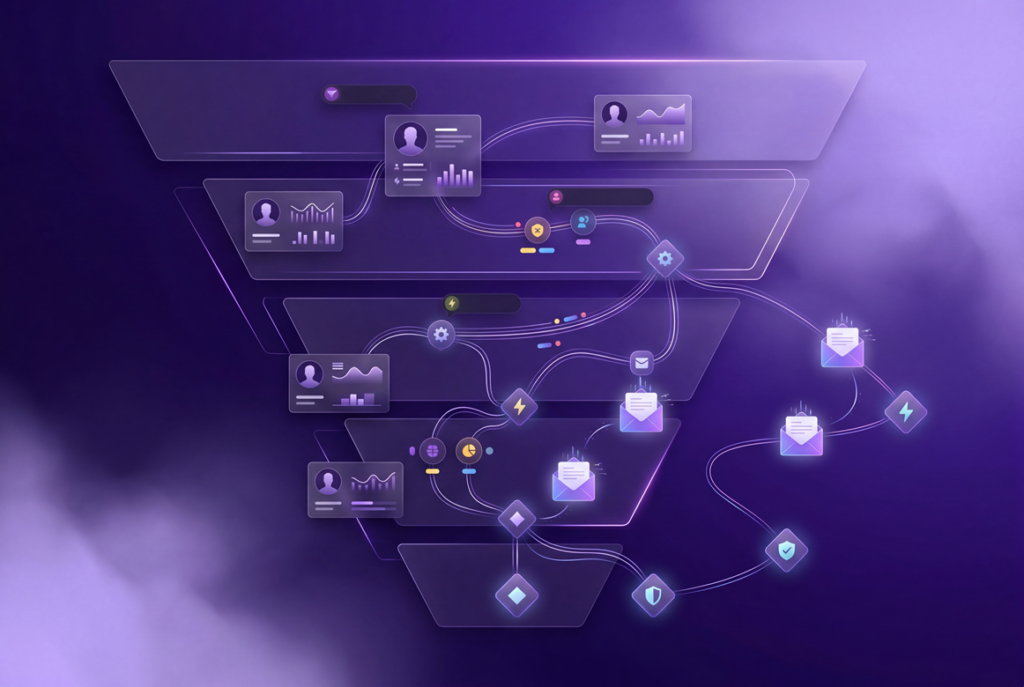
Choosing the right platform is one of the most important decisions in the process. Your stack should fit your business size, budget, technical comfort level, and reporting needs. In most cases, you need a core automation platform, a CRM, and the supporting tools that connect email, forms, analytics, and content delivery.
If you are still comparing options, our guide to the best marketing automation software for startups can help you evaluate the major platforms more strategically. And if AI-assisted content workflows are part of the plan, our article on artificial intelligence in content marketing explains how that layer fits into a broader system.
Step 4. Clean and Segment Data
Automation only works as well as the data behind it. Bad data creates bad timing, broken personalization, duplicate contacts, and weak reporting. Before you launch anything, clean your database by removing duplicates, fixing errors, standardizing fields, and updating outdated records.
After that, segment your data properly. Good segmentation is what allows workflows to stay relevant instead of generic. Clean data is not a technical extra; it is the foundation that makes the rest of the system usable.
Step 5. Build Workflows and Automations
This is where the operating structure gets built. Create workflows based on specific goals and triggers rather than trying to automate every possible touchpoint on day one.

• Onboarding sequences for new leads or customers.
• Lead nurturing campaigns that educate prospects over time.
• Behavior-based workflows that trigger offers, reminders, or internal notifications.
Each workflow should move the user closer to a next step while still feeling timely and useful. Good automation feels intentional. Bad automation feels like noise.
Step 6. Integrate and Test
Once your workflows are built, connect your automation platform with your CRM, website forms, landing pages, analytics tools, and any other systems that hold customer data. A solid CRM foundation helps reduce reporting gaps and keeps both marketing and sales working from the same source of truth.
Then test everything. Check triggers, delays, tags, links, form handoffs, segmentation logic, and mobile formatting before you scale. Pilot campaigns are useful here because they expose broken steps before those issues hit a larger audience.
Step 7. Measure and Optimize
Implementation is not finished when the workflows go live. It is finished when you can measure performance and improve it. Track metrics such as open rates, click-through rates, conversions, reply rates, lead progression, and overall ROI.
From there, optimize continuously. Adjust timing, messaging, segmentation, offers, and branching logic based on what the data shows. The best automation systems are not static. They evolve as customer behavior and business priorities change.

What Are the Best Practices for Marketing Automation?
To keep your automation system effective over time, follow a few practical rules:
• Start small: Launch one or two essential workflows first, then expand.
• Personalize where it matters: Use segmentation and behavior data to make messaging more relevant.
• Document your workflows: Clear documentation makes updates, troubleshooting, and team handoff easier.
• Train your team: Automation breaks down quickly when the people using it do not understand the system.
| Note: The strongest automation systems are documented, measured, and refined. They are not left running without oversight. |
What Are the Common Marketing Automation Mistakes?
Even businesses with solid intentions can weaken results by implementing automation too aggressively or without enough structure. The most common mistakes are:
1. Adopting a “set it and forget it” mindset
2. Running workflows on poor or outdated data
3. Skipping segmentation and sending generic messaging
4. Over-automating and removing the human touch
5. Leaving marketing and sales disconnected
6. Building workflows without a clear strategic plan
7. Failing to track the right KPIs
8. Ignoring mobile experience and testing
| Ask yourself: |
What Are the Tools Needed for Marketing Automation?
To implement marketing automation well, businesses need a connected tool stack rather than one isolated platform. In most cases, the core categories are automation, CRM, email, and lead-management tools.
| Type | Tools |
| Automation platforms | HubSpot, Adobe Marketo Engage, ActiveCampaign, Mailchimp |
| CRM integration | Salesforce, Zoho CRM |
| Email automation | Mailchimp, GMass, ActiveCampaign |
| Sales and lead management | Salesforce, Bitrix24, monday CRM |
The exact stack depends on your business size and process complexity. What matters most is not choosing the most expensive software. It is choosing tools that integrate cleanly and support the workflows you actually need.
Conclusion
Learning how to implement marketing automation is less about installing software and more about building a system. When goals are clear, data is clean, workflows are thoughtful, and performance is measured, automation becomes a genuine growth lever instead of another platform to manage.
If your business is already producing content and needs the creative side of that system to be stronger, our video editing services can support the production layer while automation supports follow-up, nurturing, and conversion. The best results usually come from structure on both sides: stronger content execution and better automation behind it.